Clinic Operation.2026

Designing Operations for a Growing Clinic

Improved front desk and intake workflows for a growing acupuncture clinic, from bilingual forms to ICBC treatment tracking and internal documentation.

By working inside daily operations, I identified service gaps firsthand and designed practical solutions that reduced help requests, supported onboarding, and strengthened local trust.

Team

Clinic Owner
7 Practitioner
3 Receptionists
1 Accountant

Deliverable

Internal Documentation
Intake Form
Google Business Profile
Promotional Materials
Window Graph

Tool

Jane App
Google Workplace
Canvas
Figma
Claude
Codex

Impact

Over 40
5-star Google reviews
20%
Patients come from the web search
faster onboarding
Improved internal documentation
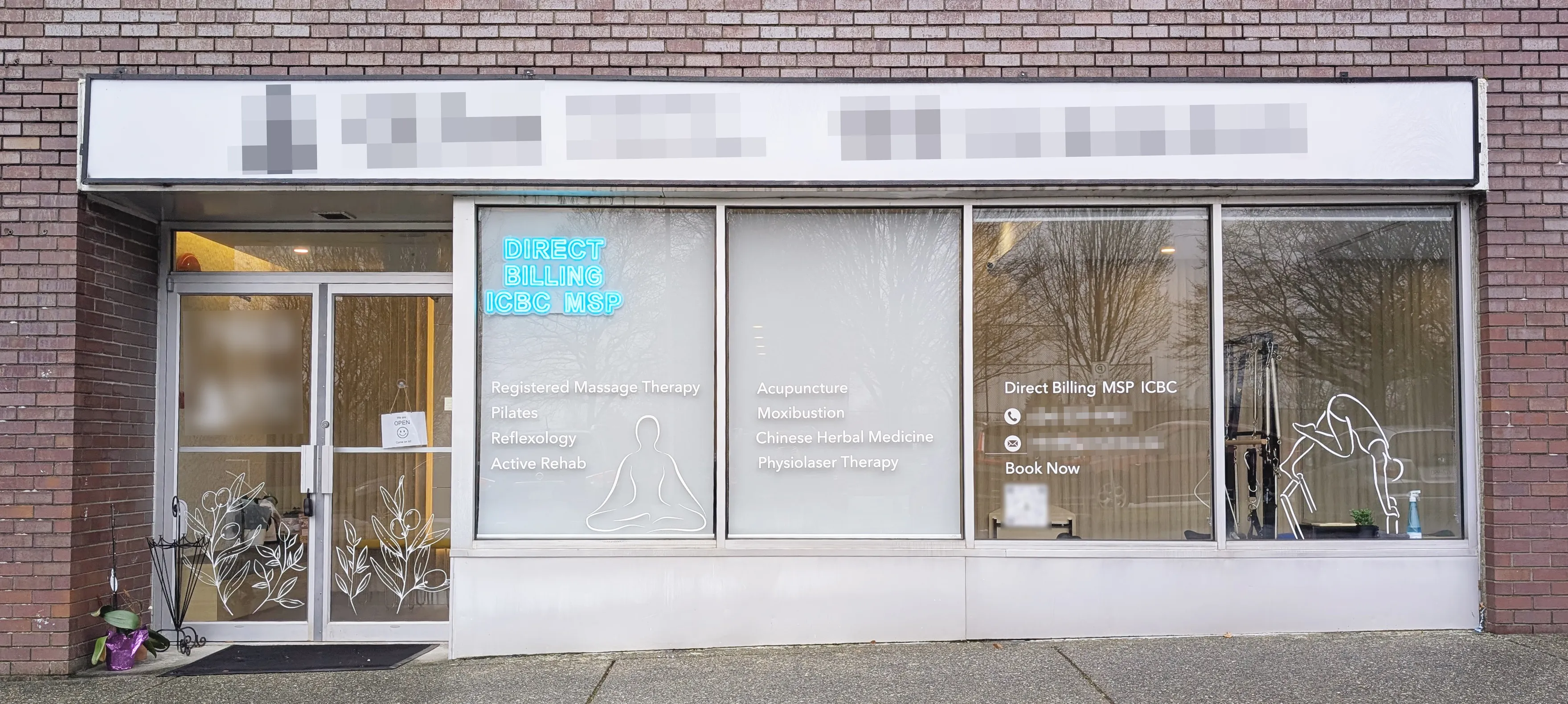
Exterior of a wellness clinic with glass windows listing services like massage therapy, Pilates, acupuncture, and Chinese herbal medicine, plus a neon sign for direct billing.

TL;DR

As a newly opened clinic grew, intake, insurance, and front desk workflows became harder to manage. Documentation was fragmented, ICBC cases were tracked manually, and English only forms created barriers for some patients.
Working inside the clinic as its first staff member, I improved bilingual intake, internal documentation, insurance tracking, and communication touchpoints. Building on these insights, I also explored Jane product concept using a markdown based AI workflow to audit UI patterns and prototype a locale aware communication feature.
These changes supported onboarding for two new receptionists, reduced help requests from older Chinese speaking patients by an estimated 50%, and helped grow the clinic’s Google presence to over 40 five star reviews.

Core Challenges

When I joined the clinic, many day to day workflows had been set up quickly just to keep operations moving. As the clinic grew, those manual and disconnected systems began creating friction for both staff and patients.
Patient Journey Map
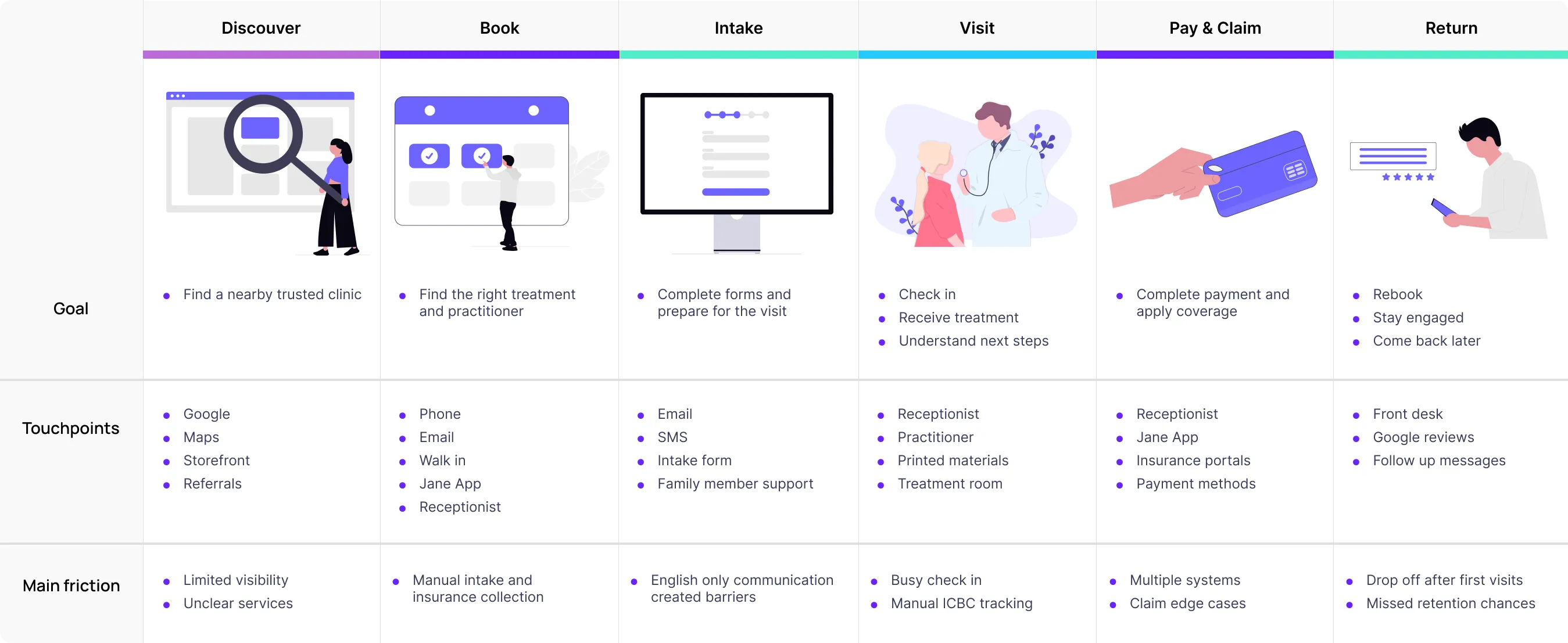
Customer journey map for healthcare services with columns for Discover, Book, Intake, Visit, Pay & Claim, and Return, showing goals, touchpoints, and main friction points at each stage.
Looking across the full patient journey, from discovery and booking to intake, treatment, payment, and return visits, I identified three recurring issues:
  • Internal documentation was fragmented
  • ICBC cases lacked clear treatment tracking
  • English only forms created accessibility barriers for some patients
The challenge was not to redesign one screen. It was to improve a service operation that was evolving in real time.

Centralizing Internal Documentation

The clinic owner originally relied on handwritten notes and scattered records for provider registrations, insurer portals, login credentials, and billing instructions.
This made it difficult for staff to find critical information quickly, especially during claims related tasks.
After mapping the setup workflow:
Flowchart showing process from collecting provider details to faster claims support, including registration across insurance portals, centralizing records, and shared credentials.
I created a shared cloud based document organized by insurer, provider, and workflow type. This centralized business details, claim instructions, and registration information in one place.
This made day to day claims work easier and created a reusable foundation for onboarding new reception staff.

Improving ICBC Treatment Tracking

One of the biggest front desk pain points was managing ICBC cases. Unlike regular appointments, ICBC treatments required staff to track approvals, session limits, extension periods, and claim details over time.
Flowchart showing ICBC service process with phases from inquiry, eligibility, assessment, treatment tracking to extension request, detailing patient actions, reception tasks, practitioner steps, backstage actions, and system integrations.
Jane App supported booking and charting, but not session tracking within the 12-week treatment window.
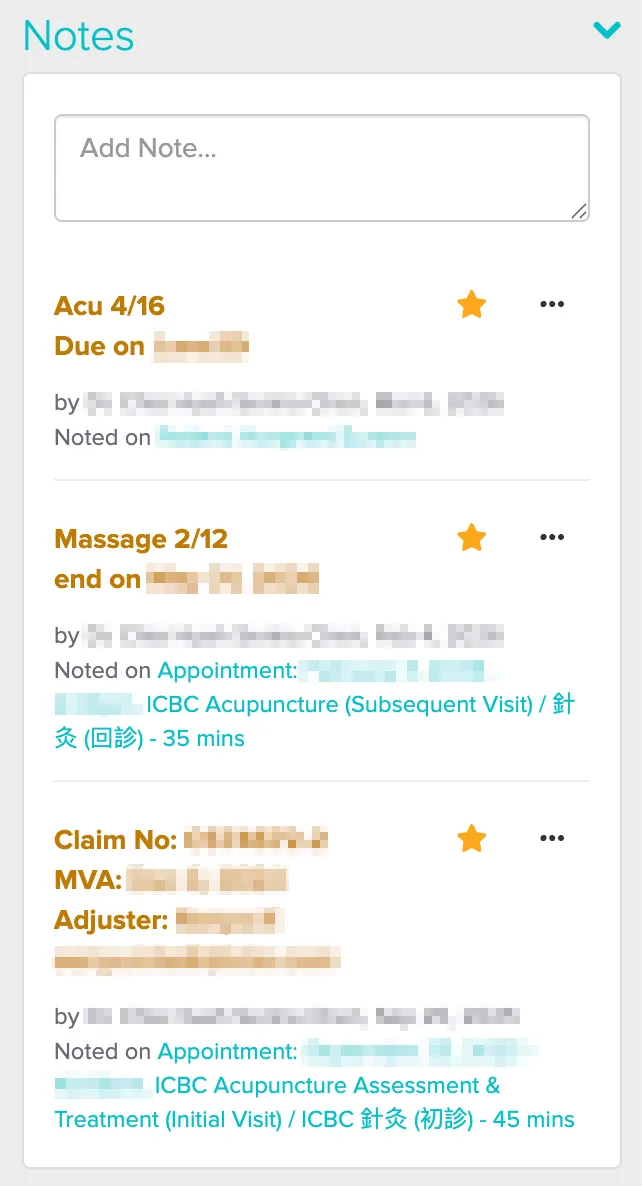
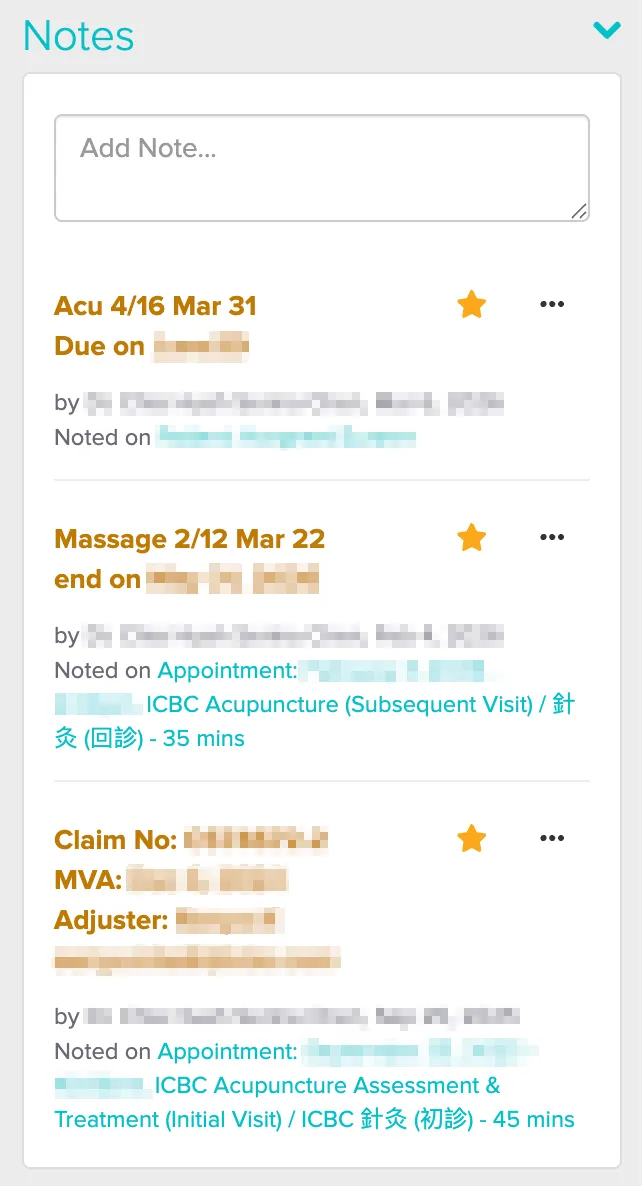
To close that gap, I created a manual note system for session counts, due dates, and claim details.
I later added the latest visit date so this reduced the need to recount visits manually and made it easier for staff to check case progress against appointment history.

Making Intake More Accessible

As more older Chinese speaking patients began visiting the clinic, I noticed that many could not complete the English intake form independently. This created delays at the front desk and increased the need for staff assistance.
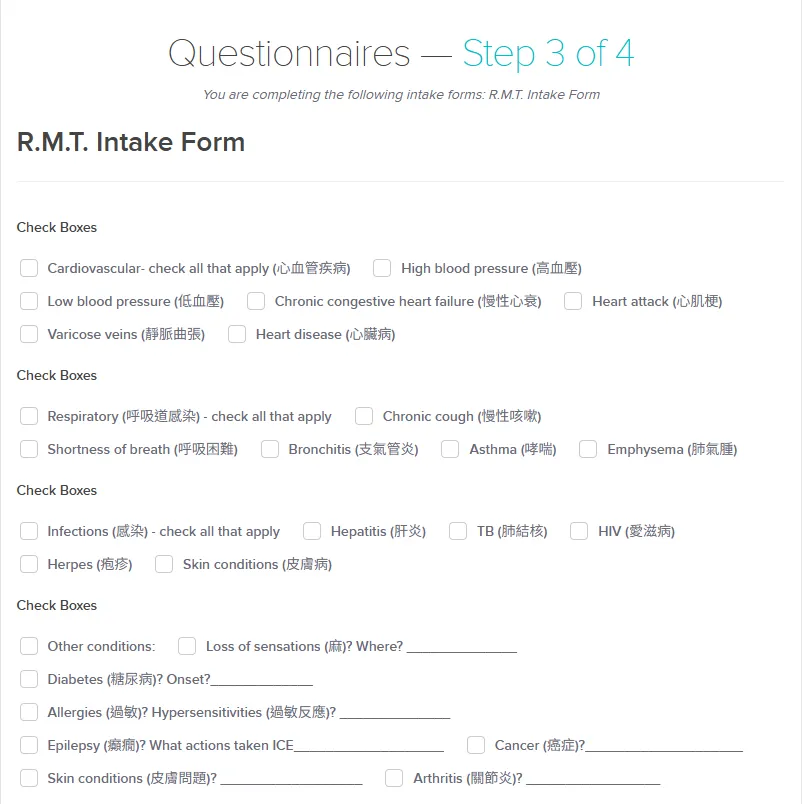
I redesigned the form to be bilingual so patients could complete it on their own in the clinic.
The language barrier also affected appointment reminders. Because Jane did not support bilingual email or SMS, some patients used their children’s contact information instead of their own.
Along with the ICBC tracking issue, this revealed broader product gaps in Jane and led me to explore a concept for integrated ICBC tracking, reminders, and local-aware communication support.

Exploring Jane App & Add ICBC Tracking Feature

Working inside these manual workarounds made it clear that some operational friction came from gaps in the booking platform itself.
To explore a better long term solution, I mapped the current ICBC flow across setup, booking, and tracking, then developed interface concepts for ICBC tracking feature.
Flowchart detailing the setup and ongoing operations for ICBC patient management, including clinic configuration, patient profile creation, appointment booking, notes updates, and treatment plan approval.
I documented the key information needs, then used AI to test the logic, refine the copy, and shape the interface concept.
Screenshots of a healthcare application interface showing treatment and appointment booking forms, insurance info sidebar with policy details, and notes on adding options for treatment prices, sessions, and policy extensions.

1. Grouping initial and subsequent ICBC treatments into one treatment set

Because initial and subsequent ICBC visits required different lengths and prices, Jane handled them as separate treatment types. This increased the risk of booking errors during follow-up visits.
Form for entering treatment details including name, billing name, descriptions before and after booking, treatment and scheduled length, price, locations, taxes, price inclusion of tax, and income category.
My concept grouped them into one treatment set. After the first visit is completed or counted, future bookings in that treatment set default to subsequent treatment.
Online form for setting up treatment details including initial and subsequent treatment names, billing, descriptions, booking info, lengths, prices, shared settings like locations, taxes, and income category.

2. Allowing recurring appointments to be scheduled during booking

In Jane, recurrence could only be set after the first appointment was booked, which prevented staff from scheduling the full care plan during booking.
I moved recurrence into the booking flow, allowing staff to schedule the series upfront while keeping the first visit as initial and later visits as subsequent automatically.

3. Tracking policy extensions within the same record

In practice, ICBC treatment plans did not always end with the first approval period, but Jane’s policy setup only captured that initial record. This made ongoing extensions harder to track and forced staff to manage updates manually.
My concept added extension tracking so the original record could stay intact while new approvals and remaining sessions were carried forward across each extension.
I also introduced an automatic reminder for treatment plan preparation, replacing the manual follow-up previously handled by reception.

Concept Exploration and Approach

Because this concept built on an existing product, I first reviewed Jane’s patterns and structure in the demo clinic to make sure the new ICBC workflow would feel consistent with the rest of the system. I explored different interface directions before refining the final concept shown above.

4. Surfacing session usage and expiry details directly in appointment views

ICBC usage was tracked manually in notes, which made case status easy to miss during busy shifts or across multiple receptionists.
I surfaced claimed sessions, unsubmitted visits, and the expiry date directly in the appointment view so staff could check case status at a glance.

Locale-Aware Feature with AI Markdown Workflow

After the ICBC tracking exploration, I had a stronger understanding of Jane’s product logic, workflow patterns, and UI structure. For the locale aware communication feature, I used MCP and AI to extract Jane’s visible UI patterns and audit where language preference could fit into the existing UX.
I also organized the work into a markdown document system, which helped reduce token use, keep sessions consistent, and make sure final decisions stayed grounded in my clinic experience and design judgment.
Flowchart illustrating a bilingual AI medical design workflow with source documents, working documents, and control documents connected for project roles, verification, and output generation.
A clear md system made the workflow portable across models. When Claude hit token limits, I could move the same docs into Codex and keep working without rebuilding context.

1. Adding language preference to the patient profile

Staff can set it in Edit Profile, while the saved preference appears in the Profile Preview alongside existing contact details. This keeps bilingual communication easy to manage during setup and easy to notice during daily clinic work.

Before:

Email input field with sample email address thomas.chu@example.com and an envelope icon to the left.Contact details for Thomas Chu including primary phone +1 941 999 9087, secondary phone (688) 865-0440, email thomas.chu@example.com marked Do Not Email, address at 8369 College Ave, Woodstock ON 13562, CA, and time zone Vancouver - America (GMT -07:00).

After:

User profile form section showing an email input field with the address emily.chu.family@example.com and a language preference dropdown set to Traditional Chinese with a note about patient-facing communication language.Contact information for Thomas Chu showing phone number with primary label, email marked Do Not Email, language preference as English, address at 8369 College Ave Woodstock ON 13562 CA, and time zone Vancouver - America GMT -07:00.

2. Applying language preference to patient intake forms

In the current flow, older Chinese speaking patients may not be able to complete the English form independently. In the proposed flow, the intake form appears in the patient’s selected language while keeping Jane’s original layout and structure.

3. Previewing patient emails in the selected language

Jane already supports several patient email templates, including intake, reminder, and welcome emails, but previews are shown in the default language.
I added a preview language option so staff can review patient facing emails in the selected language.
In 3.5 days, I moved from UX audit to a working prototype and simulated usability walkthrough.
The markdown based AI workflow reduced manual production time by helping me audit UI patterns, document decisions, and build a testable HTML prototype without rebuilding every screen in Figma.
Prototype:
While not pixel perfect, the prototype captured enough of Jane’s core layout and interaction patterns to validate the workflow before live testing.
The walkthrough helped me identify early risks, such as incomplete Chinese localization and unclear preview controls, before preparing the prototype for real user testing.

Supporting Growth Through Service Touchpoints

As the clinic grew, I also supported patient acquisition and retention across physical and digital touchpoints. With limited time and budget, I focused on efforts that could build trust quickly and improve local discovery.
Impact vs effort matrix showing marketing tasks: Google review collection and Google map profile updates as high impact, low effort; Social media as high impact, high effort; Leaflet as medium impact, medium effort; In clinic digital signage as low impact, low effort; Email marketing as low impact, high effort.
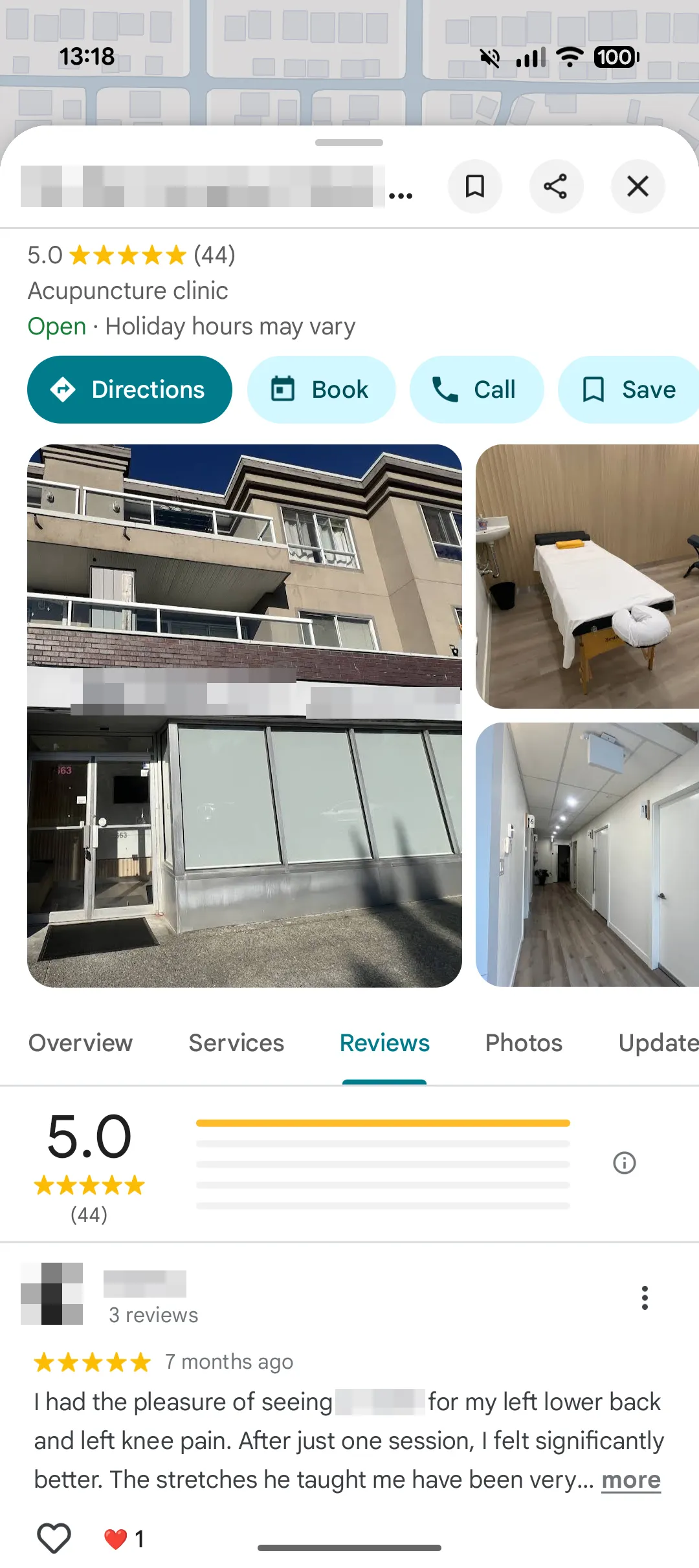
I prioritized Google review collection because it was free, low effort, and aligned with how new patients were already finding the clinic through local search.
Who I usually asked
  • Had visited a few times
  • Seemed relaxed after treatment
  • Had a positive relationship with the practitioner
How I asked
  • Kept the request short and casual
  • Writing one or two honest sentences about their experience
  • Avoided scripts so the review would feel authentic
By asking returning patients in a simple and authentic way, I helped the clinic grow its Google presence to over 40 five star reviews.
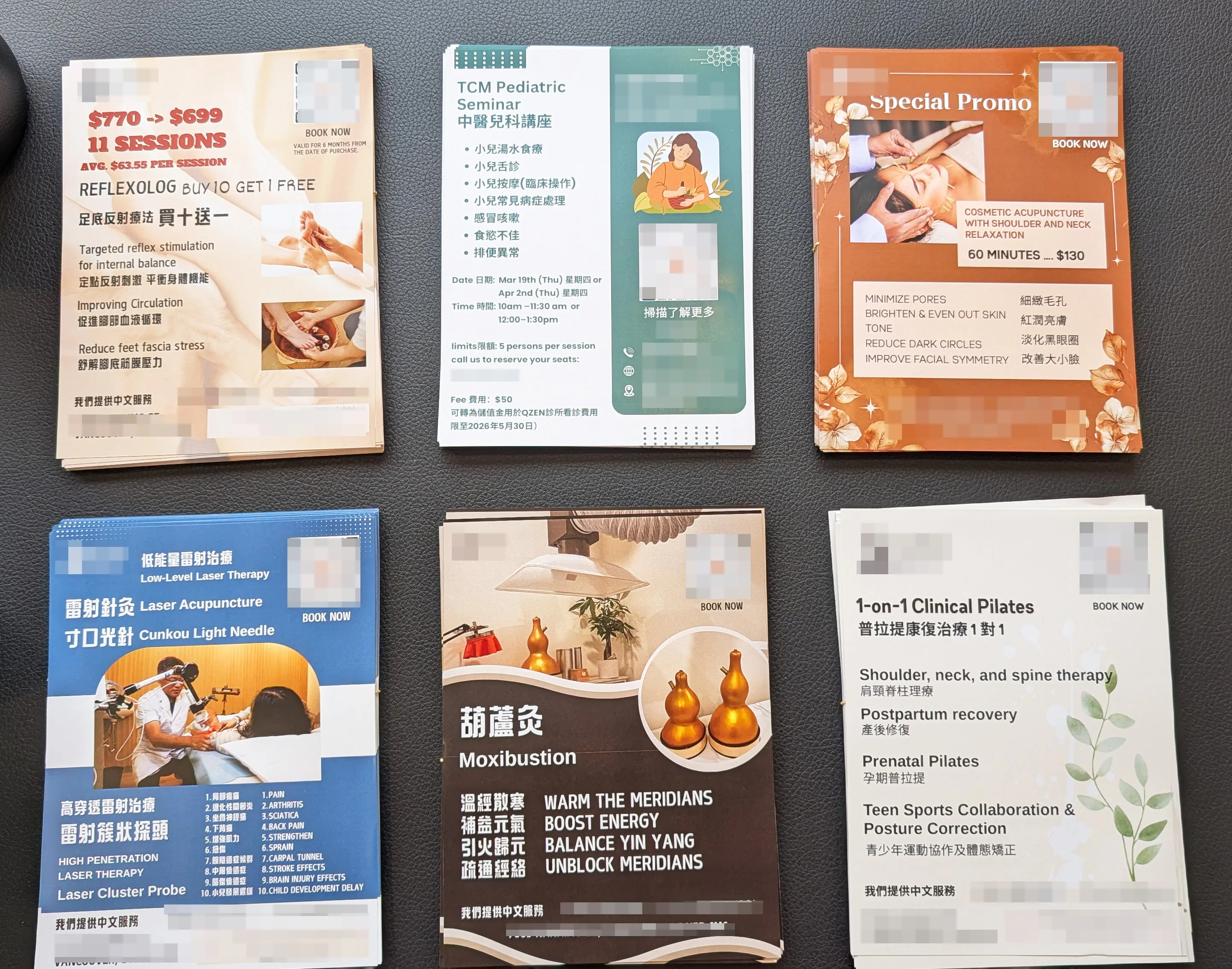
I also added printed materials in the waiting area to make clinic information easier to read at a patient’s own pace, especially for those less likely to engage with digital signage.
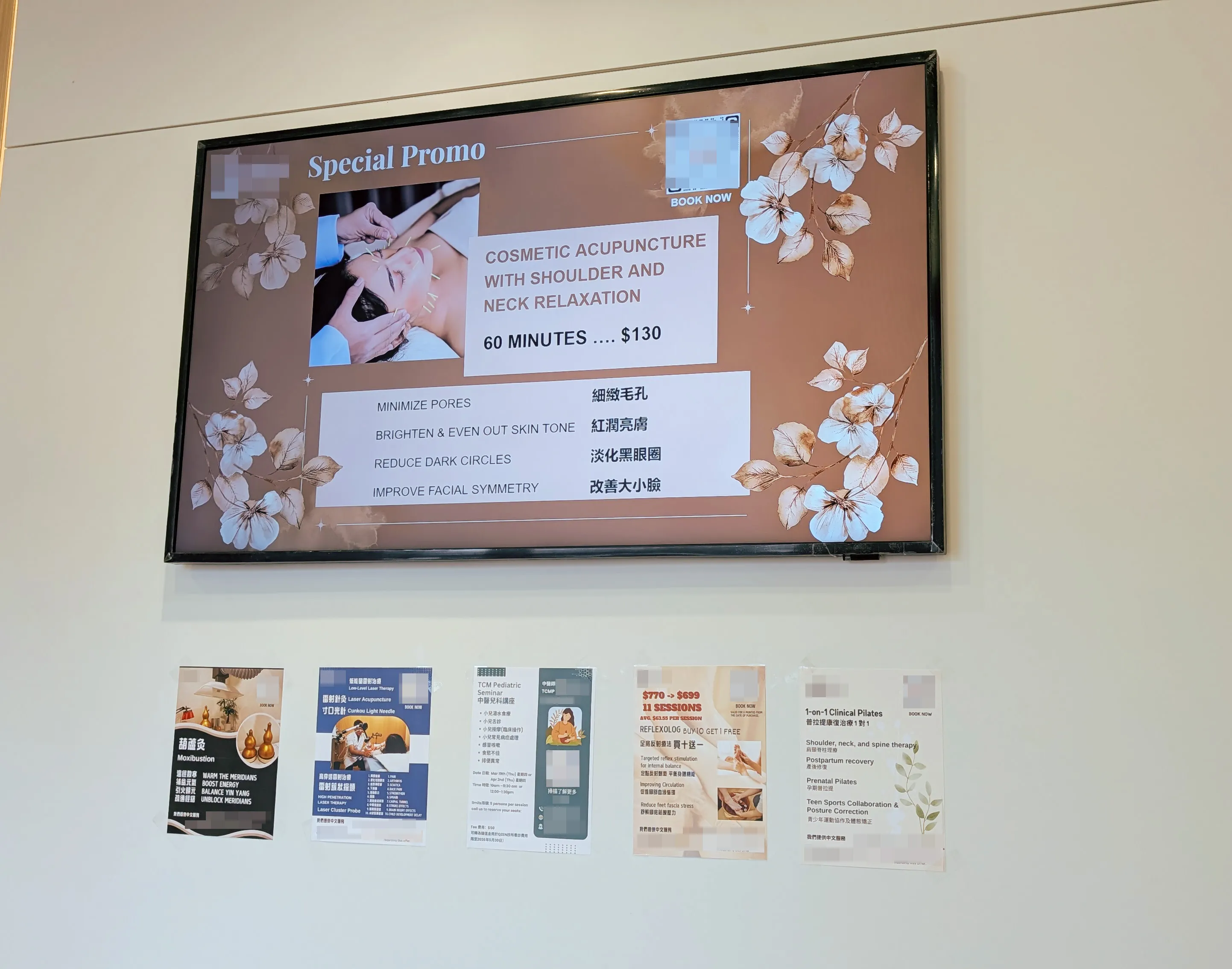
Looking ahead, I saw an opportunity to use AI agents to draft social content from clinic promotions, seasonal themes, and workshop topics more efficiently.

Outcomes

2

Better onboarding for 2 new receptionists

Centralized documentation supported onboarding for two new receptionists without relying only on handwritten notes or verbal handoff.
50%

Fewer help requests

The bilingual intake form removed a common front-desk barrier. Based on observation, help requests from older Chinese-speaking patients dropped by an estimated 50%.
20%

New patients reporting web search

Google review collection became an early low-effort, high-impact growth lever. The clinic grew from 0 to over 40 five-star reviews, while around 20% of new patients reported web search as a discovery channel.

Key Learnings

Designing from inside operations
Using the system every day helped me see the gap between what Jane supported and what the clinic actually needed.
Turning small frictions into product opportunities
Manual workarounds kept the clinic moving, but they also revealed larger workflow gaps across intake, reminders, language support, and staff handoff.
Using AI as a structured design partner
I used a markdown based workflow to manage context, audit UI patterns, document decisions, and critique the prototype across phases.
Keeping human judgment in control
AI helped me move faster, but the quality still depended on knowing what to verify, what to reject, and when to make the final decision based on real clinic experience.
Go to previous case study

Rule Builder for Non-Technical Users

Led 0→1 churn and payment recovery design
Back to the top arrow